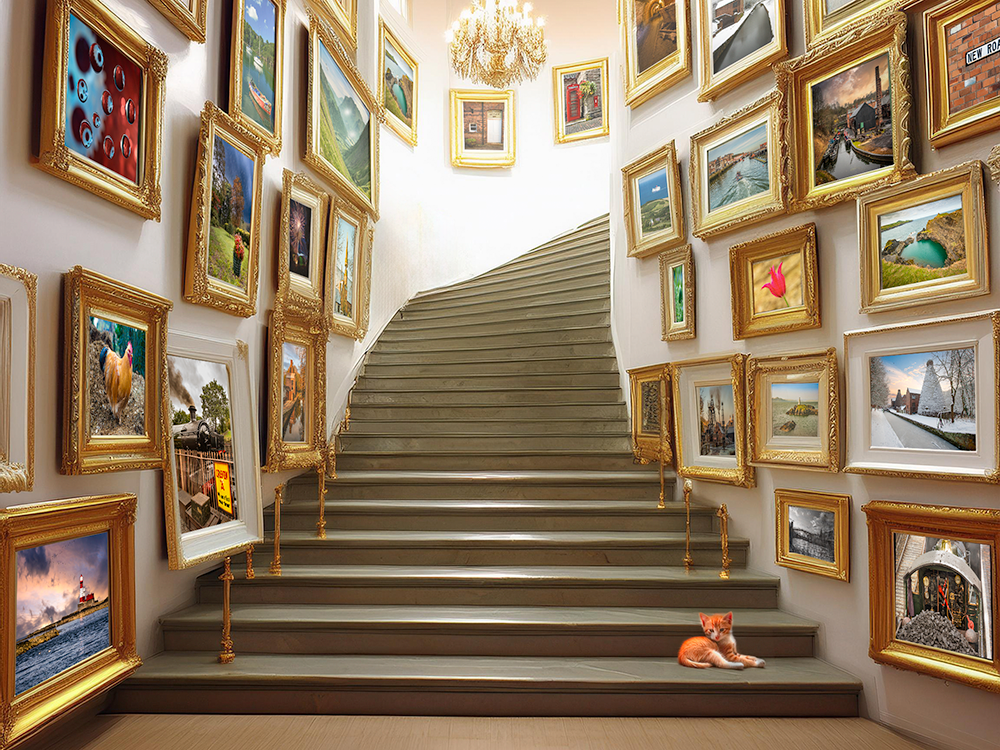
I was asked recently how I created my advertising scenes. The ‘scenes’, such as the stairway in Playing to the gallery, were created in an online Artificial Intelligence (AI) generator app called Gencraft, and then each photo frame was filled using Photoshop and its Transform tool.
However, I have now installed the Beta version of Photoshop v26, which uses Firefly Image 3 Model to create generative images using the ‘Generate Image’ function. This function isn’t new, but it has been updated, and so I thought that I would give it a try to see how it compared to using Gencraft.
I typed in the prompt “Stairway with empty picture frames“, and then in ‘Effects’ I chose the ‘Beautiful’ style.
It gave me three options, and I chose this one, mainly because of the multiple frames it had generated for me to populate.
However, all of the choices were pretty good, and certainly comparable with Gencraft.

Now came the painstakingly laborious task of filling each empty frame with a canvas. First I had to open a chosen image, chose ‘select all’ and then ‘copy’. I then went back to the stairway image and pressed ‘paste’. This placed the photo image onto the stairway image, on a separate layer, in the centre.
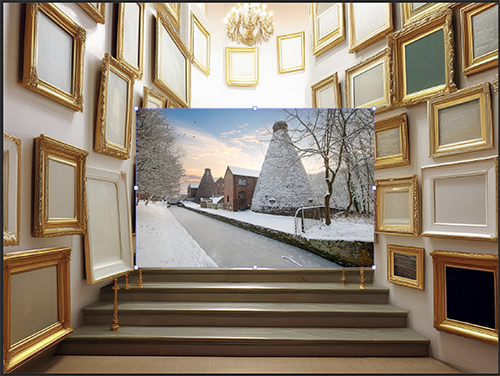
I then used the ‘Distort’ option in the ‘Transform’ tool to grab each corner of the image and drag it into the corresponding corner of the chosen picture frame. It pays to be quite accurate at this stage to make sure that the perspective remains correct.

So far, so good, but I now had to repeat the exercise 27 times!
It was important to reduce the opacity of those towards the rear of the image so that the colours didn’t appear too saturated, and therefore to give depth to the scene.
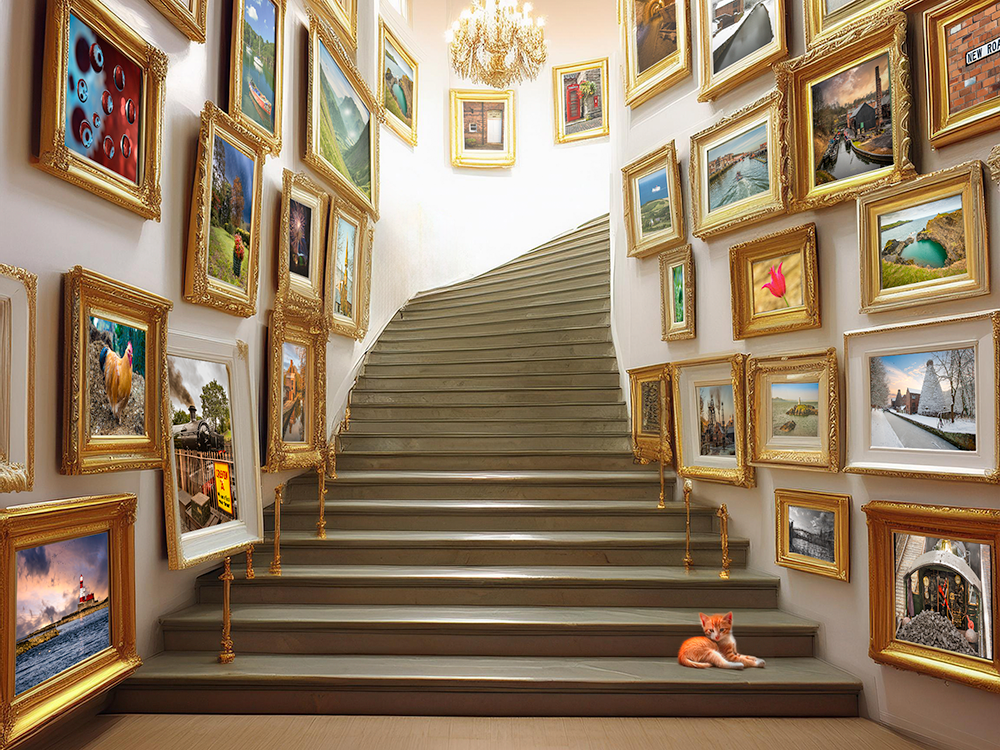
In summary, the artificial intelligence in this beta version of Photoshop gave a very good foundation for the image, and I’ll be using it in future in preference over Gencraft, if only because it contains my post-processing to a minimum of different programmes (I always think that transferring from one post-processing programme to another must create some degradation to the file).
Some of these images are, as-yet, unpublished on Photo4me. See if you can find which ones they are.
Discover more from Ironbridge Images
Subscribe to get the latest posts sent to your email.

 Ironbridge Images